Open Advanced inventory options in a collection's Products section to control which stock counts for sorting and how much new stock qualifies for inventory date sorts. Open Merchandising → View collections, choose a collection, then expand the panel below Sort order.
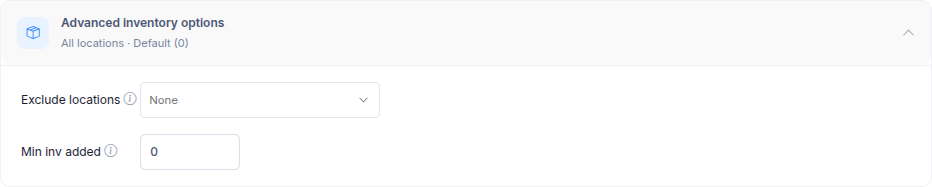
Exclude locations
Choose locations whose stock should not count when the app sorts or previews products or applies Push down. For example, if stock at a warehouse is unavailable to online shoppers, exclude that location so its units do not affect stock-based ordering. This setting does not remove products from the collection.
Min inv added
Set the minimum stock increase for New inventory added date and Restock date sorts. An increase below this number does not qualify as a new inventory or restock event for those sorts. Enter 0 to use the strategy or store default. See Sort types for how date sorts use ASC and DESC.
Select Save to keep the changes, or Sort now to apply the updated sorting immediately. If a sorting strategy controls the collection, change its inventory settings in the strategy instead.