Product metafields hold extra information defined in Shopify, such as a material or product rating. You can use supported metafields as conditions in Ouiteo filters. Those filters can then be used in features across the apps, including collection membership in Ultimate Collection Manager.
Live filters
A Live filter checks current Shopify values. To use a product metafield in a Live filter, its definition must be Admin filterable in Shopify. If a metafield is shown but unavailable, check the message beside it; some metafield types cannot be used in Live filters.
See Create a Live filter for the filter steps.
Background filters
A Background filter checks synced product data. Choose which product metafields to include:
- Open Integrations → Shopify and select Product metafields under Data selection.
- Select the metafield definitions you want to use. The page shows how many your current plan allows.
- Select Save, then allow the store data to sync before checking the filter preview.
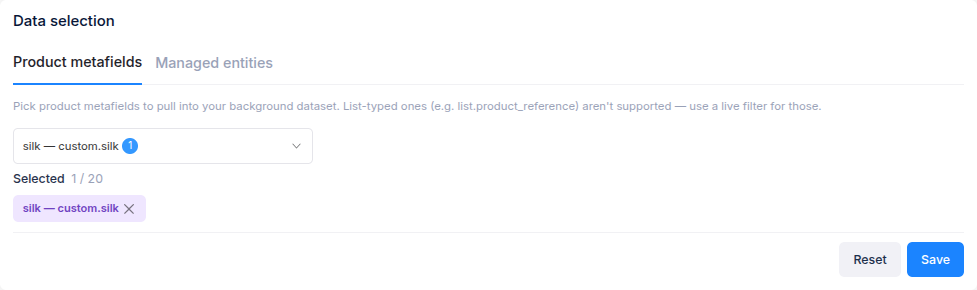
List-typed product metafields are not supported in the Background dataset; use a Live filter when its field is available there. If a definition is missing from the picker, create it in Shopify first. See Choose Background filter conditions for adding a metafield rule.