A Live filter checks current Shopify product or variant data. Use it when the fields and operators you need are available in Live filters and you want the latest store values.
- Open Library → Filters and select Create filter.
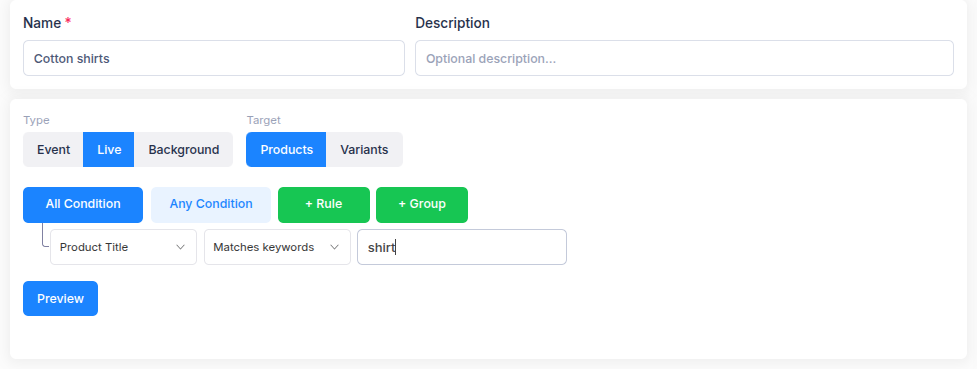
- Enter a Name and choose Live under Type.
- Choose Products or Variants under Target. Product filters return products; variant filters return individual variants with their product context.
- Add a rule with a field, operator and value. Use All Condition to require every rule, or Any Condition to accept any matching rule. Use + Group when you need both kinds of logic.
- Select Preview and check the matches. Adjust the rules and preview again if the result is not what you expect.
- Review the Summary and select Save filter.
The Live type and Products or Variants target cannot be changed after creation. Create another filter if you need a different type or target. For fields not offered by Live filters, see Choose Background filter conditions.