On this page
The promotions activity log lists the changes your campaigns and price edits have made, so you can see what ran, when, and what it affected.
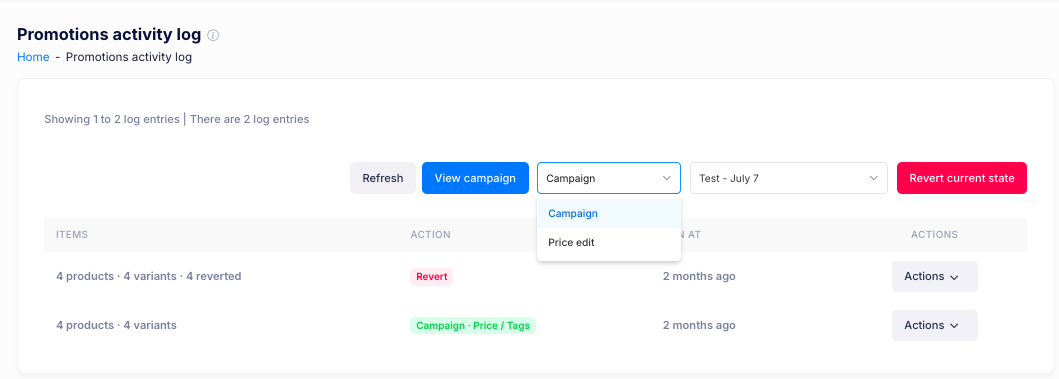
Logs
Each log shows:
- Items — what the change affected, for example 4 products · 4 variants, with the number reverted where there is one.
- Action — what ran, such as Campaign - Price / Tags or Revert.
- At — when it ran, for example 2 months ago.
The page shows the logs you are viewing and how many there are. Select Refresh to load the latest logs, and Actions on a log for the options available for it.
Logs are kept for 90 days.
Filtering the log
Narrow the log with the dropdowns:
- Choose Campaign or Price edit to show one kind of change.
- Choose a campaign from the second dropdown to show its logs.
Viewing a campaign
Select View campaign to open the campaign for the log you are viewing.
Reverting a change
Select Revert current state to undo the selected change and return the products to how they were before it ran.
If you have additional questions, contact us using the chat button in the corner or email us at help@ouiteo.com.