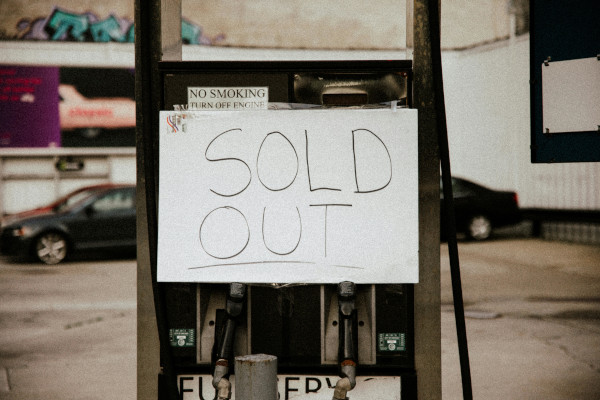



In the fast-moving world of eCommerce, how you handle out-of-stock products can significantly affect both sales and customer experience.
Should you hide sold-out items to keep your collections tidy — or keep them visible to preserve SEO and customer interest? Let’s explore the right balance and how Ouiteo’s apps can help you automate it intelligently.
On this page
1. ⚠️ Why Out-of-Stock Products Matter
Handling sold-out inventory isn’t just a warehouse task — it’s a strategic merchandising decision.
Visible sold-out items can:
- Frustrate shoppers and lower conversion rates
- Create wasted clicks and higher bounce rates
But hiding them completely can:
- Hurt your SEO (since product URLs disappear from Google’s index)
- Prevent customers from discovering items that will soon restock
The key is dynamic visibility and intelligent sorting — and that’s where automation comes in.

2. 🧩 Factors to Consider
2.1. Type of Products You Sell
If your products frequently sell out or rotate quickly, automatically hiding them can help keep collections clean. For timeless or made-to-order items, keeping them visible with “Restocking Soon” messaging may work better.2.2. Audience Behaviour
If your customers value fast delivery or availability, showing only in-stock products avoids frustration. If they’re more browsing-oriented, showing all items can sustain engagement.2.3. SEO & Marketing Strategy
During promotions or pre-order campaigns, keeping sold-out items visible (but deprioritised) can help sustain search rankings while signalling demand.For upcoming launches, Coming Soon Products PreOrder marks products as coming soon and allows stores to take pre-orders before launch, helping manage inventory and test customer demand.
3. 🤖 Ouiteo Solutions: Hide or Push — Automatically
Ouiteo provides two complementary Shopify apps that together solve the out-of-stock challenge from every angle:
3.1. Ouiteo | Hide Sold Out
Automate visibility for unavailable items.
Key Benefits:
- Auto Hide & Unhide: Sold-out products disappear automatically, then reappear when restocked.
- Customisable Conditions: Choose to hide by product type, tag, or inventory threshold.
- Improved UX: Shoppers see only what’s available — reducing friction and cart abandonment.
- SEO-Friendly: Keeps URLs consistent; no manual unpublishing needed.
3.2. Ouiteo | Collection Sort & Manage
Perfect for merchants who prefer to keep sold-out products visible but not prominent.
Key Benefits:
- Push Down Out-of-Stock Products: Automatically move unavailable items to the bottom of collections.
- Push Up Restocked Items: Newly restocked products instantly move to the top — no manual sorting.
- Data-Driven Sorting: Combine inventory, performance, or sales data to optimise rankings.
- Keep SEO Benefits: Your products stay visible to search engines while maintaining a clean storefront.

Collection Sort & Manage
Optimize Collection Merchandising with 50+ Sorting Options inc. metafields, multi-segment, custom sort type, product group, and lock positions.
4. 🛍️ Finding the Right Balance
Some merchants choose to hide unavailable products entirely, while others prefer to push them down instead.
Both strategies are valid — and both can be automated with Ouiteo’s tools. The best approach depends on your:
- Store’s inventory turnover
- SEO goals
- Customer expectations
You can even use both apps together:
- Hide Sold Out → for collections where availability matters (e.g. “Ready to Ship”)
- Collection Sort & Manage → for collections where you want to show full range but prioritise stock-ready items
5. 💬 Need Help?
Have questions or special use cases? Reach us anytime using the chat button in the corner or email us at help@ouiteo.com — our team is happy to help you optimise your store’s inventory management.